Qualify the system.
Then choose the GPU.
A server accelerator is a system decision. Establish the workload, supported platform, cooling and power path before choosing the exact board.
Browse server GPUs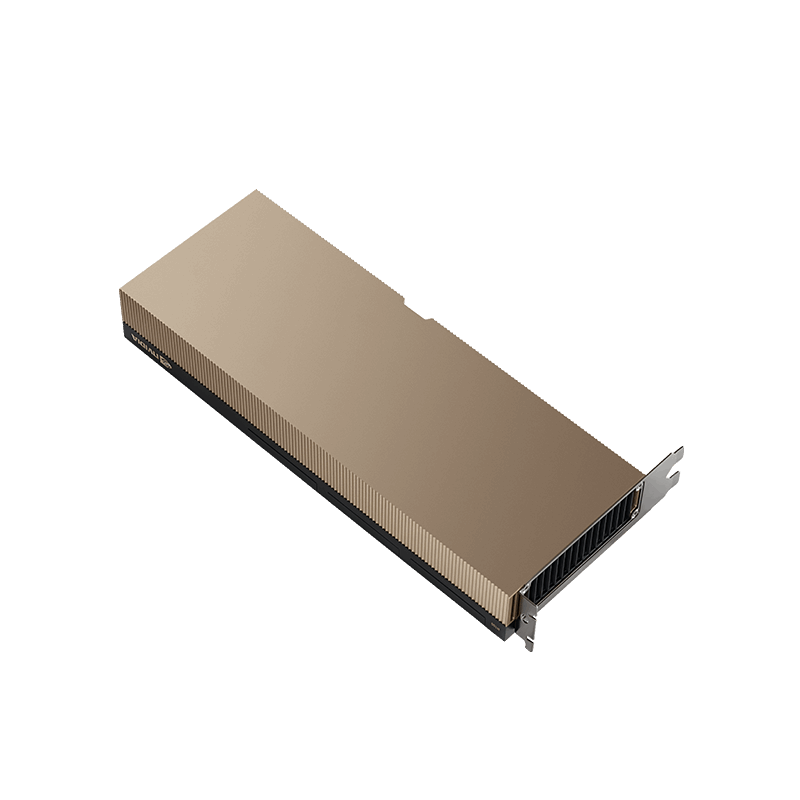
Start with the requirements.
- Define the workload
- Record the model, dataset, software and intended deployment before sizing hardware.
- Qualify the platform
- Check the server model and exact GPU configuration with the system vendor.
- Confirm cooling & power
- Passive boards rely on qualified system airflow and the right power path.
In this guide
Check the combination.
Open the part relevant to your project.
Define the work firstInference · training · visual computing
Record the workload, software stack, model or dataset size and how it will be deployed. NVIDIA’s configuration guidance treats these as inputs to hardware sizing. GPU memory, the rest of the server and the deployment topology need to be considered together.
Confirm the exact platformServer model · GPU support · PCIe
Check the supported GPU configuration for the exact server model and revision with its manufacturer. A matching PCIe connector does not certify the complete system. NVIDIA’s certified-system list is a useful reference for supported combinations; the system vendor must confirm the supplied build.
Review airflow and powerPassive cooling · cables · power budget
The H100 PCIe reference uses passive cooling and depends on system airflow. Confirm the server’s thermal configuration, ambient limits, board power mode and qualified power connections for the supplied GPU. Do not substitute a desktop PSU check for the server vendor’s platform review.
Validate the deployment softwareDriver · runtime · OS · support
Confirm the operating system, driver, application/runtime and any virtualization or licensing requirements for the intended GPU and server. Check the current software support documentation with your deployment provider before ordering. Hardware naming alone does not establish the full software entitlement or configuration.
Two passive boards. Different requirements.
The named H100 PCIe and L4 reference configurations both require qualified server airflow. Their recorded form factors, memory and board power differ. Neither is established as a drop-in upgrade by these examples.
NVIDIA H100 GPU — Enterprise- Memory type
- 80GB HBM2e with ECC
- Form factor
- Full height, full length, dual-slot
- Power consumption
- Up to 350W; qualified cable mode required
 NVIDIA L4 GPU — Enterprise
- Memory type
- 24GB GDDR6 with ECC
- Form factor
- Low profile, half length, single-slot
- Power consumption
- 72W maximum
Bring your requirements.
- Server manufacturer, model, revision and supported GPU configuration
- Workload, model/dataset size, software stack and intended GPU quantity
- PCIe layout, cooling configuration and qualified power connections
- Required exact board/kit, deployment support and delivery requirements
Manufacturer references: NVIDIA system configuration guidance · NVIDIA certified-system list · H100 PCIe product brief · L4 product documentation. Check the current documents for your supplied configuration.